Spiral BettyTurn any photo into spiral, line, or dot art — free in your browser, no signup.
Your studio
Upload, crop, and spiralize — then export print-ready JPEG art.
Drop your photo here
Drag and drop an image, or choose a file. PNG, JPEG, and WebP supported.
Make Spiral Betty art in 3 easy steps
Upload your photo
Drop a portrait or try the demo image. Pick Spiral, Lines, or Dots — you can switch styles anytime.
Crop and tune
Drag to reposition, resize the crop box, and adjust scale. Fine-tune rings, lightness, and contrast.
Download your art
Preview live in the studio, then download a print-ready JPEG. No account — everything runs in your browser.
Turn any photo into stunning spiral line art
Three art styles, live preview, and instant JPEG export — free in your browser. No signup.
Spiral, lines, or dots — one photo, three ways to create.
Every portrait becomes single-line artwork that follows the light and dark of your image.
With Spiral Betty choose spiral, line, or dot modes, adjust rings and contrast, and preview everything live before you download.
The look matches the classic Spiral Betty style — free, in your browser, no account needed.

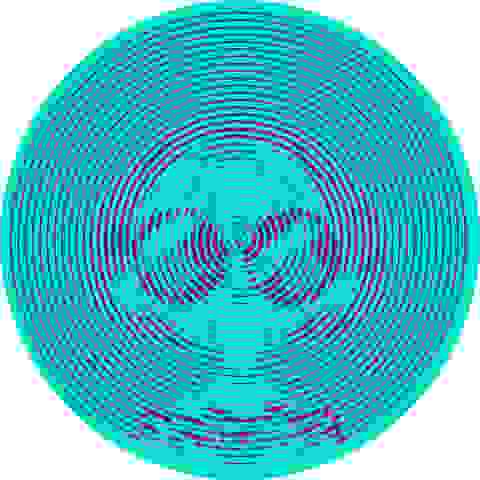
Crop, scale, and color — full control in one studio.
Drag to reposition and resize the crop box so your subject sits perfectly in frame.
Tune rings, scale, lightness, and contrast — from subtle portraits to bold wall art.
Color presets and invert help you match prints, gifts, and craft projects.
Download JPEG and use anywhere
Export a high-quality JPEG in one click — ready for prints, frames, cards, and DIY projects.
No watermarks, no signup. Your images stay on your device — we process everything locally in the browser.
USE CASES
What people make with Spiral Betty
Perfect for gifts, crafts, and wall art
From family portraits to pet photos — Spiral Betty turns everyday images into line art you can print, frame, or share.
Personalized gifts
Turn a wedding photo, baby portrait, or couple shot into framed spiral art for birthdays, anniversaries, and holidays.
DIY & craft projects
Download JPEG for greeting cards, tote bags, and home décor — no design skills required.
Wall art & prints
Create minimalist single-line portraits for your home or shop. Adjust rings and contrast for any print size.
Pet & family portraits
Dogs, cats, and family photos work beautifully. Crop tight on the subject and let the spiral follow every detail.
TESTIMONIALS
Creators who love Spiral Betty
Crafters, makers, and gift-givers use Spiral Betty to turn photos into line art — free, fast, and right in the browser.
- 5.0
Made spiral art of my dog for my mom's birthday — took five minutes and she framed it the same day. So much easier than hunting for the old tool on mobile.

Emily R.
DIY maker
- 5.0
I use it for custom wedding gifts. Crop, pick spiral mode, tweak the rings, download JPEG — clients love the result and I don't need Photoshop.

Marcus T.
Print shop owner
- 4.9
Free, no signup, works on my tablet. The lines and dots modes are a nice bonus when spiral feels too busy for a small print.

Ayşe K.
Cricut crafter
FAQ
Frequently Asked Questions
How Spiral Betty works, what you can make, supported formats, and how to get started.
Spiral Betty is a focused tool for photo-to-line-art. Upload a portrait, tune rings and colors, and download JPEG — fast, free, and entirely in your browser:
- Three art modes: spiral, lines, and dots
- Nothing to install — runs in your browser
- Live preview with crop, scale, and color controls
- Works on desktop, tablet, and mobile
- Instant JPEG download — no watermarks
- Privacy-friendly — photos stay on your device
- No signup — open the page and start creating